
Free learning resource
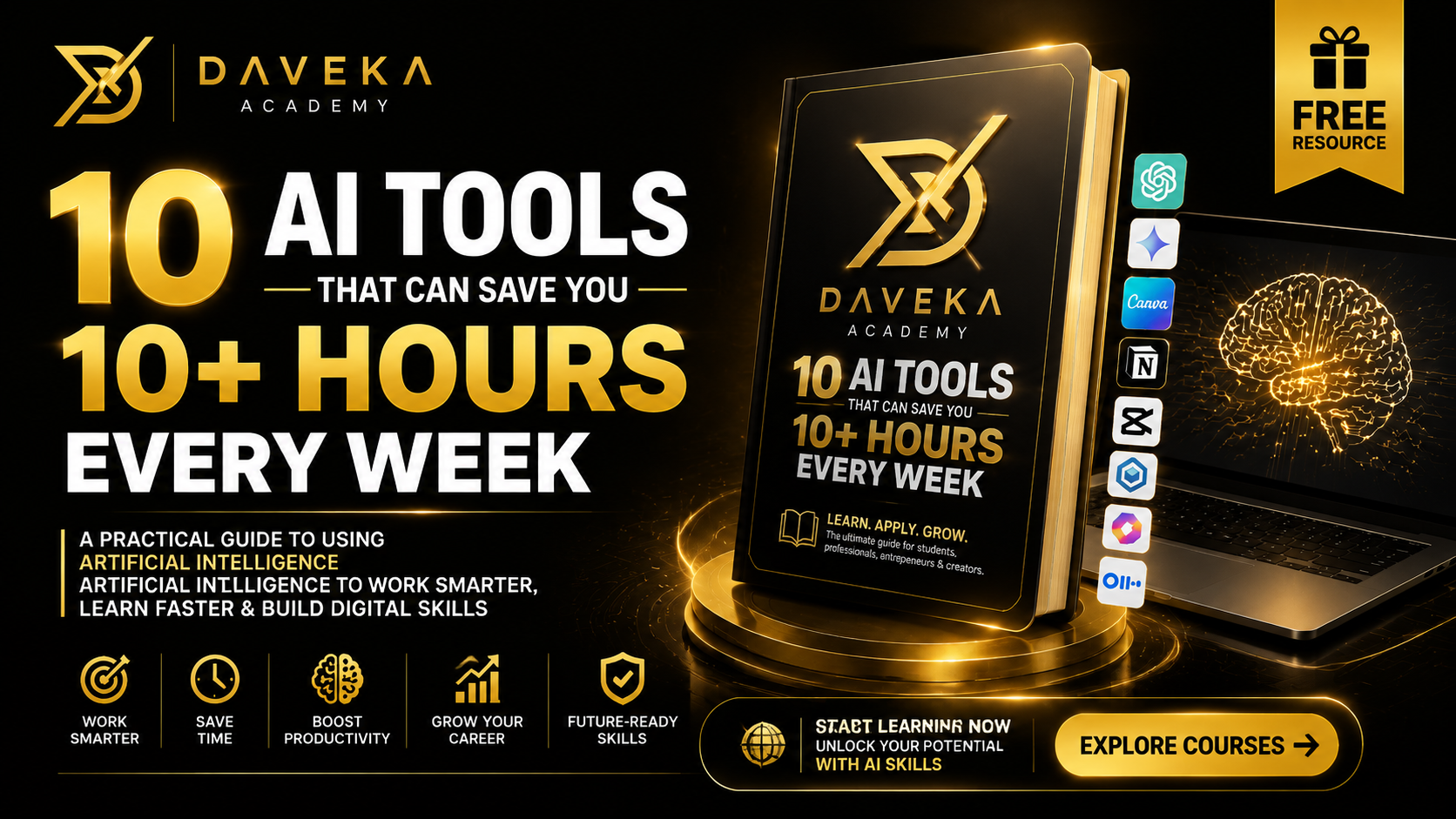
10 AI Tools That Can Save You 10+ Hours Every Week
Discover 10 powerful AI tools that can help you work smarter, learn faster, create content, research, design, manage projects and save 10+ hours every week. This practical beginner-friendly guide includes real examples, ready-to-use prompts and simple workflows you can start using immediately.
I’ll structure it as a genuine self-learning resource rather than a promotional brochure. A beginner should be able to download it, understand what each tool is for, practise with the examples, and immediately apply the lessons.
10 AI TOOLS THAT CAN SAVE YOU 10+ HOURS EVERY WEEK
A Practical Self-Learning Guide for Work, Business, Content Creation & Everyday Productivity
Free Learning Resource
INTRODUCTION
Artificial Intelligence is changing the way people work.
Tasks that once required several hours can now be completed in minutes. You can use AI to research a topic, summarize a document, write a first draft, create presentations, generate images, edit videos, transcribe meetings, organize information, brainstorm ideas, and automate repetitive work.
But there is an important distinction:
Having access to AI does not automatically make you more productive. Knowing which tool to use, when to use it, and how to instruct it does.
This guide introduces 10 practical AI tools that can help you save significant time every week.
You do not need to be a programmer.
You do not need advanced technical knowledge.
You simply need to understand the problem you are trying to solve and learn how to communicate your desired result clearly.
By the end of this guide, you should be able to:
- Understand what different AI tools are designed to do.
- Select the appropriate tool for a particular task.
- Write better instructions, or prompts, for AI.
- Use AI for writing, research, design, presentations, video and productivity.
- Build a simple AI-assisted workflow for your work or business.
- Identify tasks you should automate and tasks that still require human judgment.
PART 1: UNDERSTANDING AI BEFORE USING IT
What Is Artificial Intelligence?
Artificial Intelligence, commonly called AI, refers to computer systems designed to perform tasks that normally require aspects of human intelligence.
Modern AI systems can perform activities such as:
- Understanding written instructions
- Generating text
- Analysing information
- Recognising images
- Creating images
- Generating and editing video
- Transcribing speech
- Translating languages
- Summarising documents
- Identifying patterns in data
- Assisting with research
- Generating computer code
One of the most important developments is Generative AI.
Generative AI doesn't only analyse existing information. It can generate new content based on your instructions.
For example, you could ask an AI system:
«Explain digital marketing to me as if I am a complete beginner. Give me practical examples from a small fashion business.»
Within seconds, the AI can generate a personalised explanation.
That ability makes AI particularly useful for self-learning and productivity.
PART 2: THE MOST IMPORTANT AI SKILL — PROMPTING
Before learning individual tools, you need to understand one principle:
The quality of your instructions strongly influences the quality of your results.
The instruction you give an AI system is commonly called a prompt.
Compare these two prompts.
Weak Prompt
«Write something about marketing.»
This gives the AI very little direction.
Better Prompt
«Act as a digital marketing strategist. Create a simple 30-day Instagram content strategy for a Nigerian fashion business targeting women aged 20–35. The objective is to increase enquiries and sales. Include educational, promotional, engagement and customer-testimonial content.»
The second prompt provides:
- A role
- A task
- Context
- An audience
- An objective
- A required output
A simple framework you can remember is:
ROLE + TASK + CONTEXT + REQUIREMENTS + FORMAT
ROLE
Tell the AI what expertise or perspective is useful.
«Act as a social media strategist.»
TASK
Explain exactly what you need.
«Create a content calendar.»
CONTEXT
Provide relevant background.
«I operate a small skincare business in Lagos targeting young professionals.»
REQUIREMENTS
Specify important conditions.
«Include educational, promotional and engagement content.»
FORMAT
Tell it how to present the answer.
«Present the result in a table with Date, Content Idea, Format, Caption Direction and CTA.»
Put everything together:
«Act as a social media strategist. I operate a skincare business in Lagos targeting young professionals aged 22–35. Create a 14-day Instagram content calendar designed to generate enquiries. Include educational, promotional, engagement and testimonial content. Present it in a table containing Date, Content Idea, Format, Caption Direction and CTA.»
You can use this basic structure across most of the tools in this guide.
TOOL 1: CHATGPT
Best For
Writing, brainstorming, learning, analysis, planning, research assistance, document review, problem-solving and general productivity.
ChatGPT is one of the most versatile AI assistants available.
Instead of searching through dozens of pages to understand a subject, you can ask questions conversationally and continue asking follow-up questions until you understand it.
Practical Ways to Use It
You can use ChatGPT to:
- Brainstorm business ideas
- Create content calendars
- Explain difficult subjects
- Summarize information
- Draft proposals
- Develop marketing strategies
- Analyse documents
- Create meeting agendas
- Prepare interview questions
- Brainstorm social-media content
- Develop course outlines
- Improve existing writing
- Create standard operating procedures
- Analyse data
- Generate ideas for presentations
- Prepare study materials
Example: Learning
Instead of asking:
«Explain SEO.»
Try:
«Teach me SEO from beginner to intermediate level. Assume I have no previous knowledge. Explain one concept at a time using practical examples. After every major section, give me a small exercise to test my understanding.»
Now the AI becomes more like a personal tutor.
Example: Work
«Act as an HR analyst. I have employee attendance data containing employee name, department, arrival time and date. Explain how I should analyse punctuality and identify recurring lateness patterns. Recommend useful KPIs for an executive dashboard.»
Example: Business
«Act as a small-business consultant. I have ₦100,000 to market a new online training business in Nigeria. Create a 30-day customer acquisition plan. Prioritise low-cost channels and explain how I should measure whether each channel is working.»
Time-Saving Potential
If you regularly write, research, plan or analyse information, ChatGPT can potentially reduce hours of repetitive preliminary work.
The key is to use it for first drafts, exploration and analysis, while keeping human review for final decisions.
Practice Exercise
Choose something you normally spend at least 30 minutes doing.
Write a prompt using:
Role + Task + Context + Requirements + Format
Compare the result with what you would normally produce manually.
TOOL 2: GOOGLE GEMINI
Best For
Research assistance, brainstorming, writing, analysing information and working within Google's ecosystem.
Gemini is Google's generative AI assistant.
It can help you understand topics, generate ideas, analyse information and work through problems conversationally.
It can be particularly useful for people who already work extensively with Google products.
Practical Uses
Use Gemini for:
- Research
- Summarisation
- Brainstorming
- Writing assistance
- Learning
- Planning
- Comparing concepts
- Analysing uploaded information
- Generating ideas
Example Prompt
«I want to understand customer retention. Teach me the concept using examples from an online education business. Explain customer acquisition cost, retention rate, churn and lifetime value in simple terms.»
Productivity Lesson
You do not necessarily need to choose only one general-purpose AI assistant.
Different models can sometimes approach the same problem differently.
For an important piece of work, you can generate an initial analysis with one AI tool and use another to challenge the assumptions.
For example:
«Review this strategy critically. Identify weak assumptions, missing information and potential risks. Do not simply agree with the recommendations.»
This creates a basic AI second-opinion workflow.
TOOL 3: PERPLEXITY
Best For
AI-assisted web research and finding sources.
Traditional search engines often require you to open multiple pages before assembling an answer.
AI research tools such as Perplexity can help organise information around a question while providing links or citations that allow you to inspect the underlying sources.
Practical Uses
Use it when you need to:
- Research industries
- Understand unfamiliar subjects
- Find statistics
- Compare products or concepts
- Investigate trends
- Find supporting sources
- Start competitor research
Example
Instead of searching separately for dozens of articles, ask:
«What are the major trends affecting online education in Africa? Focus on mobile learning, affordability, digital payments and professional certification. Provide sources for important statistics.»
Important Rule
Never treat an AI-generated research answer as automatically correct.
Open important sources.
Check:
- Who published the information?
- When was it published?
- Is the statistic being represented correctly?
- Is the original source credible?
- Is newer information available?
AI should accelerate research.
It should not replace verification.
TOOL 4: CANVA AI
Best For
Design, presentations, social-media graphics and visual content.
Many professionals lose significant time creating basic visual materials.
Canva combines templates and AI-assisted features that can speed up the process.
You can use it for:
- Instagram posts
- Presentations
- Posters
- Flyers
- CVs
- Infographics
- Certificates
- Thumbnails
- Business documents
- Marketing materials
Better Workflow
Do not begin every design from an empty page.
Start with:
- Your objective
- Your audience
- Your message
- Your brand colours
- Your format
Then use templates or AI-assisted design features to accelerate production.
Example Brief
«Create a clean professional Instagram carousel explaining five ways small businesses can use AI. Target young Nigerian entrepreneurs. Use minimal text, strong visual hierarchy and modern technology-inspired imagery.»
The AI-generated design should be treated as a starting point.
You should still review:
- Alignment
- Typography
- Branding
- Readability
- Image quality
- Accuracy
- Visual hierarchy
Productivity Principle
AI can generate. Designers curate.
Professional design still requires judgment.
TOOL 5: MICROSOFT COPILOT
Best For
Productivity, writing, research and assistance within Microsoft's ecosystem.
For professionals who spend significant time using Microsoft applications, Copilot can help reduce repetitive knowledge-work tasks.
Depending on the version and available integrations, AI assistance can support activities around documents, presentations, spreadsheets, email and general research.
Practical Applications
Imagine you have a lengthy report.
Instead of manually reading the entire document several times, AI can help you:
- Summarise major findings
- Extract action items
- Identify recurring themes
- Develop presentation talking points
- Rewrite technical information for executives
Example Prompt
«Summarise this report for senior management. Focus on performance, major risks, financial implications, actions required and decisions management needs to make.»
Notice how specific the output requirement is.
That usually produces a more useful executive summary than:
«Summarise this.»
TOOL 6: NOTION AI
Best For
Notes, knowledge management, documentation and organising work.
Many people do not have an information problem.
They have an organisation problem.
Their information is distributed across:
- WhatsApp messages
- Notebooks
- Emails
- Google Docs
- Screenshots
- Meeting notes
- Random files
A workspace such as Notion can help centralise knowledge, while AI features can help work with the information.
Practical Uses
You could create areas for:
BUSINESS
- Strategy
- Customers
- Marketing
- Finance
- Operations
CONTENT
- Ideas
- Scripts
- Calendar
- Published content
- Performance
PERSONAL DEVELOPMENT
- Courses
- Notes
- Books
- Skills
- Goals
PROJECTS
- Tasks
- Deadlines
- Meeting notes
- Decisions
- Resources
Practical Exercise
Create one central page called:
My Knowledge Hub
Add four sections:
- Projects
- Learning
- Content Ideas
- Important Notes
For the next seven days, stop scattering new information across multiple locations and intentionally organise it.
You may discover that better information management saves as much time as AI generation.
TOOL 7: GRAMMARLY
Best For
Writing improvement, grammar, clarity and tone.
AI can generate entire documents, but sometimes you do not need generation.
You simply need better writing.
Grammarly is useful for reviewing:
- Emails
- Reports
- Proposals
- Articles
- Applications
- Social posts
- Professional documents
It can help identify grammar, spelling and clarity problems.
Recommended Workflow
Write your first draft.
Then review it for:
- Meaning
- Accuracy
- Structure
- Grammar
- Tone
Do not accept every AI suggestion automatically.
For example, a grammatically correct sentence can still communicate the wrong meaning.
Your responsibility remains:
Does this sentence actually say what I intend to say?
TOOL 8: OTTER.AI
Best For
Meeting transcription and converting spoken conversations into searchable text.
Meetings create a common productivity problem.
Someone needs to:
- Listen
- Participate
- Take notes
- Remember decisions
- Record action items
Transcription tools can reduce some of that administrative burden.
Depending on your setup and applicable privacy requirements, AI transcription tools can help convert conversations into text that can later be summarised and organised.
Post-Meeting Workflow
After obtaining a transcript, use AI to convert it into:
MEETING SUMMARY
Purpose: Why was the meeting held?
Key Discussions: What was discussed?
Decisions: What was agreed?
Action Items: What needs to happen next?
Owner: Who is responsible?
Deadline: When is it due?
Example Prompt
«Convert this meeting transcript into professional meeting minutes. Separate the output into Key Discussions, Decisions, Action Items, Owners and Deadlines. Do not invent information that was not mentioned.»
That last instruction is important.
TOOL 9: CAPCUT AI
Best For
Fast video creation, captions and editing.
Video editing can consume significant time, especially for social-media teams and creators.
CapCut provides editing and AI-assisted features that can accelerate common production tasks.
Depending on the current version and feature availability, these can include functions around:
- Automatic captions
- Text-to-speech
- Background removal
- Script assistance
- Video templates
- Audio enhancement
- Automated editing features
Example Content Workflow
Suppose you want to create a 60-second educational video.
Step 1 — Generate the Idea
Use an AI assistant:
«Give me 10 short-video ideas teaching beginners how to use AI at work.»
Step 2 — Write the Script
«Write a 60-second script for idea number 3. Start with a strong hook, teach three practical points and finish with a simple CTA.»
Step 3 — Record
Use your phone or camera.
Step 4 — Edit
Use CapCut for cutting, captions and other editing assistance.
Step 5 — Review Manually
Check:
- Caption accuracy
- Pacing
- Audio
- Branding
- Spelling
- Visual quality
This workflow can significantly reduce the time between idea and publication.
TOOL 10: GAMMA
Best For
Creating presentation drafts and visually structured documents quickly.
Creating a presentation manually often involves several stages:
Research → Outline → Copy → Slide Structure → Design → Formatting.
AI presentation tools can compress several of these stages.
Gamma can help turn ideas or written material into a structured visual presentation.
Example
Suppose you need a presentation on:
How AI Is Transforming Small Businesses
First develop your outline:
- Introduction
- Current Business Challenges
- AI Opportunities
- Practical Applications
- Case Examples
- Risks
- Implementation Roadmap
- Conclusion
You can then use an AI presentation tool to develop a first visual draft.
Important Principle
Never present an AI-generated deck without reviewing it.
Check:
- Statistics
- Dates
- Claims
- Images
- Brand consistency
- Logical flow
- Repetition
- Spelling
- Audience relevance
AI should accelerate presentation development, not remove quality control.
PART 3: HOW THESE TOOLS WORK TOGETHER
The biggest productivity gains usually do not come from using 10 tools independently.
They come from creating a workflow.
Consider this example.
You need to create a presentation about an industry trend.
BEFORE AI
Research → Read articles → Take notes → Create outline → Write slides → Design slides → Proofread → Present.
This might consume several hours.
AI-ASSISTED WORKFLOW
Perplexity Research the topic and locate sources.
↓
ChatGPT or Gemini Analyse the research and create an outline.
↓
Gamma or Canva Generate the initial presentation structure.
↓
Grammarly Review written clarity.
↓
Human Review Verify facts, improve the narrative, apply branding and make final decisions.
That is where AI productivity becomes powerful.
It is not necessarily:
One AI tool = productivity.
It is:
The right combination of tools + a clear workflow = productivity.
PART 4: THE 10-HOUR AI PRODUCTIVITY CHALLENGE
For the next seven days, identify repetitive tasks.
Create a simple record:
Task| Normal Time| AI Tool| New Time| Time Saved Meeting summary| 45 mins| Transcription + ChatGPT| 15 mins| 30 mins Content ideas| 60 mins| ChatGPT| 20 mins| 40 mins Presentation draft| 2 hrs| Gamma| 45 mins| 1 hr 15 mins Research| 90 mins| Perplexity| 45 mins| 45 mins
Continue tracking throughout the week.
Your objective is not merely to "use AI."
Your objective is to identify where AI genuinely saves time without reducing quality.
PART 5: 10 READY-TO-USE PROMPTS
- LEARNING
«Teach me [TOPIC] from beginner level. Assume I have no prior knowledge. Divide the subject into logical sections, explain each section with practical examples, and include a short exercise after every major concept.»
- RESEARCH
«Research [TOPIC]. Explain the major developments, important statistics, opportunities, risks and future outlook. Separate confirmed facts from assumptions and tell me which claims I should independently verify.»
- CONTENT
«Act as a content strategist. Create 30 content ideas for [BUSINESS/BRAND] targeting [AUDIENCE]. Divide them into educational, promotional, engagement, authority-building and conversion content.»
«Draft a professional email regarding [SITUATION]. The recipient is [PERSON/ROLE]. My objective is [OBJECTIVE]. Keep the message clear, polite and concise.»
- BUSINESS STRATEGY
«Act as a business strategist. Analyse this business idea: [IDEA]. Evaluate the target customer, problem, solution, competitors, revenue model, marketing channels, risks and first steps.»
- SOCIAL MEDIA
«Create a 30-day social-media strategy for [BRAND]. Our target audience is [AUDIENCE]. Our primary objective is [OBJECTIVE]. Recommend content pillars, posting frequency, content formats, KPIs and weekly experiments.»
- MEETING SUMMARY
«Convert the following transcript into professional meeting minutes. Include meeting objective, key discussions, decisions, action items, responsible persons and deadlines. Do not invent missing information.»
- PRESENTATION
«Create a professional presentation outline about [TOPIC] for [AUDIENCE]. The objective is [OBJECTIVE]. Give me a logical slide-by-slide structure with a title and key message for each slide.»
- CRITICAL REVIEW
«Critically review the following plan. Do not automatically agree with it. Identify weak assumptions, missing information, risks, contradictions and opportunities for improvement. Then provide specific recommendations.»
- PRODUCTIVITY
«Act as a productivity consultant. Here are the tasks I perform every week: [TASKS]. Categorise them into tasks I should automate, accelerate with AI, delegate, continue doing personally, or eliminate. Explain your reasoning.»
PART 6: IMPORTANT AI SAFETY RULES
AI is powerful, but responsible use matters.
- DO NOT TRUST EVERYTHING AI GENERATES
AI systems can produce incorrect information confidently.
Verify important facts.
- PROTECT CONFIDENTIAL INFORMATION
Be careful when uploading:
- Passwords
- Financial credentials
- Private customer information
- Confidential company documents
- Personally identifiable information
- Sensitive internal information
Understand the privacy policies and organisational rules applicable to the tools you use.
- VERIFY PROFESSIONAL ADVICE
AI should not be treated as an unquestionable replacement for qualified medical, legal, financial or other regulated professional advice.
- REVIEW AI-GENERATED CONTENT
Before publishing something generated with AI, check:
- Is it accurate?
- Is it relevant?
- Does it sound appropriate?
- Is anything fabricated?
- Are statistics verifiable?
- Does it represent my brand correctly?
- KEEP HUMAN JUDGMENT IN THE LOOP
AI can generate options.
Humans remain responsible for decisions.
PART 7: BUILD YOUR PERSONAL AI TOOLKIT
You do not need every AI tool available.
Start with your actual needs.
If You Are a Student
Start with:
- ChatGPT or Gemini
- Perplexity
- Canva
Use them for learning, research and presentations.
If You Are a Content Creator
Start with:
- ChatGPT
- Canva
- CapCut
Use them for ideation, design and video production.
If You Run a Business
Start with:
- ChatGPT
- Perplexity
- Canva
- Notion
Use them for strategy, research, marketing and organisation.
If You Work in an Office
Start with:
- ChatGPT
- Microsoft Copilot
- Grammarly
- A transcription tool
Use them for documents, analysis, meetings and communication.
The objective is not to collect AI subscriptions.
The objective is to create a small set of tools that solves recurring problems.
FINAL EXERCISE: CREATE YOUR FIRST AI WORKFLOW
Choose one task you perform every week.
Write it here:
My repetitive task: ___________________________
How long does it normally take?
Current time: ___________________________
Which part requires human judgment?
Which part is repetitive?
Which AI tool could help?
Create your new workflow:
Step 1: ___________________________________
Step 2: ___________________________________
Step 3: ___________________________________
Step 4: ___________________________________
Test the workflow three times.
Then ask:
Did AI actually save time?
Did the quality remain acceptable?
What still required my expertise?
What should I improve next time?
CONCLUSION
The future of productive work is not simply about doing more.
It is about reducing unnecessary manual effort so that more time can be spent on judgment, creativity, relationships, strategy and execution.
AI can help you research faster.
It can help you learn faster.
It can help you produce first drafts faster.
It can help you organise information.
It can help you transform ideas into content.
But the person operating the technology still matters.
The most valuable skill is therefore not memorising the names of hundreds of AI tools.
It is learning how to:
Identify a problem → Choose the right tool → Give clear instructions → Review the result → Improve it → Apply human judgment.
Start with one task.
Build one useful workflow.
Measure the time you save.
Then improve from there.
YOUR 7-DAY ACTION PLAN
Day 1: Identify three repetitive tasks that consume your time.
Day 2: Practise writing detailed AI prompts.
Day 3: Use AI to accelerate one writing or research task.
Day 4: Use AI to create or improve visual content.
Day 5: Build one AI-assisted workflow combining at least two tools.
Day 6: Review everything AI produced and identify errors or weaknesses.
Day 7: Calculate how much time you saved and decide which workflow you will continue using.
Remember:
AI does not need to replace what you do.
It should help you spend less time on repetitive work and more time on work that requires your judgment, creativity and expertise.
FREE RESOURCE
Use this guide as a workbook.
Do not simply read it.
Open the tools, complete the exercises, test the prompts and measure your results.
Learn. Practise. Apply. Improve.